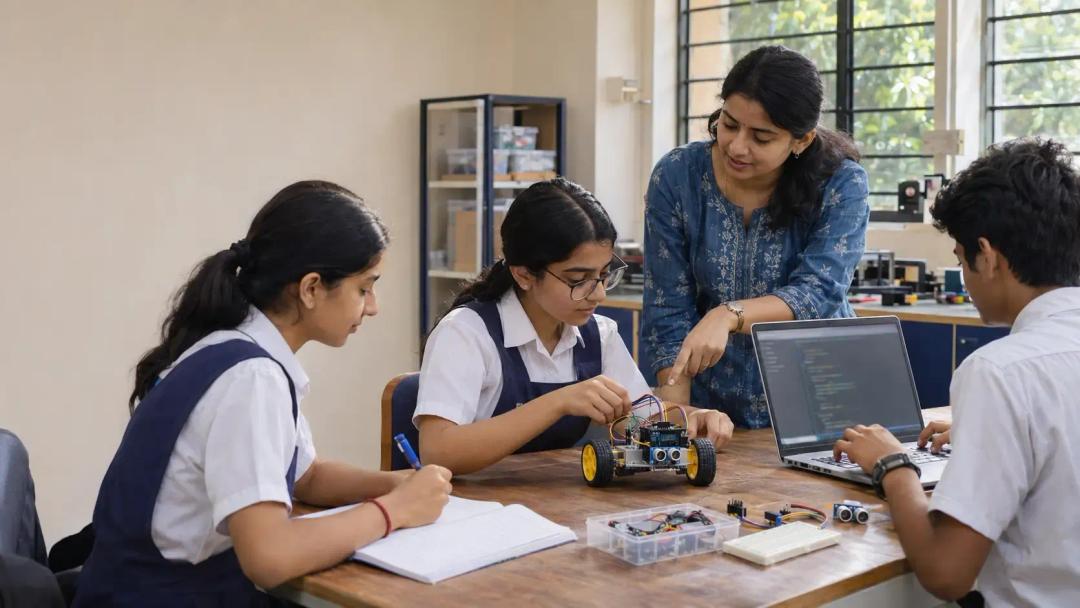
Imagine an ICSE school in Pune preparing to introduce Robotics and Artificial Intelligence. The kits have arrived. A cupboard has been cleared. The computer teacher opens the syllabus and asks the question that should have come first: what exactly will students do each week?
Planning ICSE Robotics AI practical assignments means connecting classroom explanations, programming, equipment and student records. A working robot is one useful outcome. A student who can explain the logic, test an idea and document a correction gives the teacher much more to work with.
We recommend planning those connections before ordering the final kit list. Start with the work students need to complete, then build the teaching resources and hardware around it.
What practical work does ICSE Robotics & AI require?
For ICSE Examination Year 2027, the Robotics and Artificial Intelligence syllabus, Subject Code 66, specifies a two-hour written paper carrying 100 marks and internal assessment carrying 100 marks. It also sets minimum annual assignment numbers across three areas:
| Assignment area | Class 9 | Class 10 |
|---|---|---|
| Robotics | 3 | 3 |
| Artificial Intelligence | 2 | 2 |
| Python programming | 10 | 15 |
| Minimum total | 15 | 20 |
The teacher-in-charge must maintain assignment records throughout the year. These figures come from the Robotics and Artificial Intelligence (66) document in CISCE's ICSE Examination Year 2027 syllabus publications. Schools should use the syllabus for their students' examination year, checking subsequent revisions before finalising their plan.
This article focuses on ICSE Classes 9 and 10. Schools planning senior secondary provision can read our separate ISC Robotics and AI guide for Classes 11 and 12.
How should Class 9 and Class 10 practical planning differ?
Our recommended approach is to give each class its own teaching map. A common inventory can support both classes, but the tasks, instructions and expected independence should progress.
For Class 9, spend time establishing habits. Ask students to read an instruction, identify components, predict an output and describe what happened. During programming, have them explain a condition or loop before running it. Those small checks tell a teacher where support is needed.
For Class 10, ask for more deliberate testing. Give students sample inputs, ask them to identify an unexpected result and have them explain their correction. Increase independence through the tasks selected from the applicable syllabus.
Consider a simple sensor activity. A beginner might identify the input and output and explain the sequence. A more confident student could compare readings, change a threshold and document the effect. The equipment can stay on the same bench while the reasoning becomes deeper.
Our wider AI and robotics curriculum shows the value of progression. For Code 66 delivery, however, each selected activity still needs its own class-specific syllabus mapping.
How should schools plan ICSE Robotics AI practical assignments across the year?
Work backwards from the school's assessment calendar. Set internal dates for teaching, submission, feedback and corrections, allowing room for holidays, examinations and interrupted periods.
The example below is our suggested planning structure, not a CISCE timetable requirement. It distributes the annual totals shown above across three working blocks.
| Suggested working block | Class 9 assignment allocation | Class 10 assignment allocation | Teacher preparation |
|---|---|---|---|
| Opening block | 1 Robotics, 1 AI, 3 Python | 1 Robotics, 1 AI, 5 Python | Check prerequisites, software and record templates |
| Middle block | 1 Robotics, 1 AI, 4 Python | 1 Robotics, 1 AI, 5 Python | Review progress and arrange catch-up sessions |
| Final working block | 1 Robotics, 3 Python | 1 Robotics, 5 Python | Complete feedback, corrections and records |
Adjust the order to the teaching sequence. An assignment should follow the concepts it uses; a neat calendar does not justify asking students to programme something they have not learned.
Also budget for checking work. In an illustrative section of 30 students, three minutes of individual discussion per student requires 90 minutes. That discussion will need to span lessons or run alongside independent work.
So keep a buffer. Reserve some usable periods for absences, debugging and resubmission rather than filling every week with a new task.
Which activities need hardware, Python or classroom resources?
Create an activity map before finalising procurement. For every task, write down the concept, resources, student output and method of checking understanding.
| Illustrative activity | Main resources | Evidence to collect |
|---|---|---|
| Explain the input, processing and output in a robotic system | Diagram, photographs or a demonstration | Annotated system explanation |
| Write and test a short programme | Computer with the selected Python environment | Code, test inputs and observed outputs |
| Outline an AI solution to a school problem | Project worksheet and a fictional scenario | Problem definition and proposed stages |
| Investigate a sensor-controlled response | Board, compatible sensor, output component and instructions | Reading table and explanation |
| Compare two robot behaviours | Demonstration or suitable simulation | Prediction, observation and comparison |
These examples illustrate lesson design. Their inclusion in an assessed assignment list must be checked against the relevant syllabus.
One distinction matters: the 2027 syllabus identifies certain laboratory demonstrations as familiarisation activities outside evaluation. It names mobile robot demonstrations such as line following and obstacle avoidance. Schools should keep that distinction clear when mapping teaching activities to assessed work.
Give students room to explore those demonstrations. Just label their purpose accurately in the lesson plan.
What should separate Class 9 and Class 10 hardware kits contain?
Think in terms of a shared foundation plus class-specific additions. Start with the activities and check component compatibility before preparing quantities.
For Class 9 planning, a proposed foundation kit might contain a suitable development board, breadboard, jumper wires, LEDs with appropriate resistors, push buttons, selected sensors, a servo and a compatible power arrangement. The final selection depends on the mapped activities.
For Class 10 activities involving motion, evaluate additions such as a chassis, motors, motor driver, wheels, mounting parts and appropriately positioned sensors. Specify power requirements and mechanical fit together. A motor that cannot be driven by the selected electronics adds troubleshooting without adding useful learning.
Use an inventory sheet with four columns: component, quantity, activity reference and replacement provision. Include storage labels and a pre-session check. A missing cable should be discovered before the class enters.
For an illustrative class of 30, ten team kits would allow three students per group. That is a planning example, not a universal board ratio. Rotate assembly, testing and recording roles so each student handles the work.
When discussing AI lab provision for ICSE schools, bring the class size, existing computers and activity map together. Kit selection becomes much easier once those inputs are clear.
What should a student's practical record contain?
We recommend a short, consistent record that students complete as they work. It should help them recall a decision, reproduce a test and explain a result.
For programming tasks, use these fields:
- Assignment reference, date and objective.
- Approach, algorithm or pseudocode where appropriate.
- Programme and variable descriptions.
- Test inputs, expected results and actual output.
- Correction or observation, followed by teacher feedback.
For hardware learning activities, adapt the format to include a circuit or system diagram, components used, test observations and the student's explanation. Keep demonstration records distinguishable from assessed assignments.
Ask for meaningful testing. If a programme compares two numbers, what happens when they are equal? If a sensor behaves differently near a window, what changed? One recorded observation can reveal more understanding than several pages of copied description.
Maintain a teacher tracker alongside student records. Our suggested columns are assignment reference, submission date, feedback given, correction completed and follow-up needed. Choose a notebook, spreadsheet or suitable platform according to the school's workflow.
What teaching materials should schools provide through an LMS?
An LMS earns its place when a teacher can find what tomorrow's lesson needs in a few minutes. Organise resources separately for Class 9 and Class 10, then by topic and activity.
Each lesson folder should ideally contain a teaching note with prerequisites, learning objectives, a suggested sequence and questions to check understanding. Add concise PPTs, student instructions and any diagrams needed for the practical task.
Project folders need enough detail to support troubleshooting: the component list, connection guidance, code where relevant, expected behaviour and common faults. Put teacher reference solutions in a separate access-controlled area from student materials.
For Python work, include sample inputs and expected results. For hardware activities, include clear photographs or diagrams and a preparation checklist. A teacher should be able to check that the setup works before teaching it.
CISCE's August 2024 publication, Primer on Robotics and Artificial Intelligence for Teachers, provides pedagogical context, sample lessons and activity ideas. Teachers can look for it through the official CISCE website. School resources should make the chosen lessons ready to deliver in that school's classroom.
Version the materials, too. Label the class, topic, syllabus reference and revision date so teachers can identify which instructions apply to a particular batch.
How can schools organise teacher and practical support?
Assign responsibilities before the first session. The subject teacher needs a clear view of lesson objectives and student progress. Technical support needs the exact hardware and software configuration. The coordinator needs visibility into timetable changes and unresolved requests.
A useful preparation routine is simple: check next week's activity, test the equipment, confirm resource access and identify students who need catch-up work. Ten minutes of advance coordination can prevent a whole lesson being spent searching for a file or diagnosing a loose connection.
At Scaleopal Labs, our proposed ICSE support scope brings together separate Class 9 and 10 hardware kits, curriculum and lesson planning, LMS teaching materials, and project and practical support. The teaching resources can include PPTs, lecture notes, activity instructions and project-related guidance, as agreed with the school.
Schools can discuss this support scope or explore our wider managed school lab partnership. For the latter, our zero setup cost model includes an operating arrangement supported by a technology integration fee. The agreed scope should specify staffing, equipment and ongoing support.
Practical support helps teachers deliver the programme. Assessment decisions and board submissions remain with the school under the applicable rules.
Frequently asked questions
How many practical assignments should schools plan for?
Use the examination-year totals and distribution in the table above. Build a tracker before teaching begins, and leave time for feedback and corrections rather than treating submission as the final step.
Does every student need an individual robotics kit?
Choose quantities after checking applicable laboratory guidance, class size and the activities planned. Where students share equipment, rotate roles and check individual understanding through explanations, testing and records.
Can simulations support robotics teaching?
Simulations can help students predict behaviour and examine a circuit or programme before a physical activity. Select them for a clear lesson purpose, and check the applicable syllabus and laboratory requirements before deciding how they fit into delivery.
What should teachers receive through LMS access?
A useful starting set includes class-wise lesson plans, PPTs, lecture notes, practical instructions, project resources and troubleshooting guidance. Teacher reference files and student task sheets should be easy to distinguish.
Does a successful robot demonstration prove individual understanding?
It gives the teacher a starting point for questions. Ask each student to explain a component's role, predict a change or describe a fault they investigated, then record that evidence alongside the activity.
Can a school begin with existing computers and selected hardware?
Begin with an audit of software access, equipment condition, available space and the planned tasks. That audit can identify reusable resources and the additions needed for the agreed programme.
The cupboard of kits is only the beginning. By the time students enter the room, the school should know the purpose of the activity, the resources required and how each child's work will be followed up.
Bring your class sizes, existing inventory and examination-year syllabus to a planning conversation with Scaleopal Labs. We can help turn those inputs into a practical teaching and support plan.