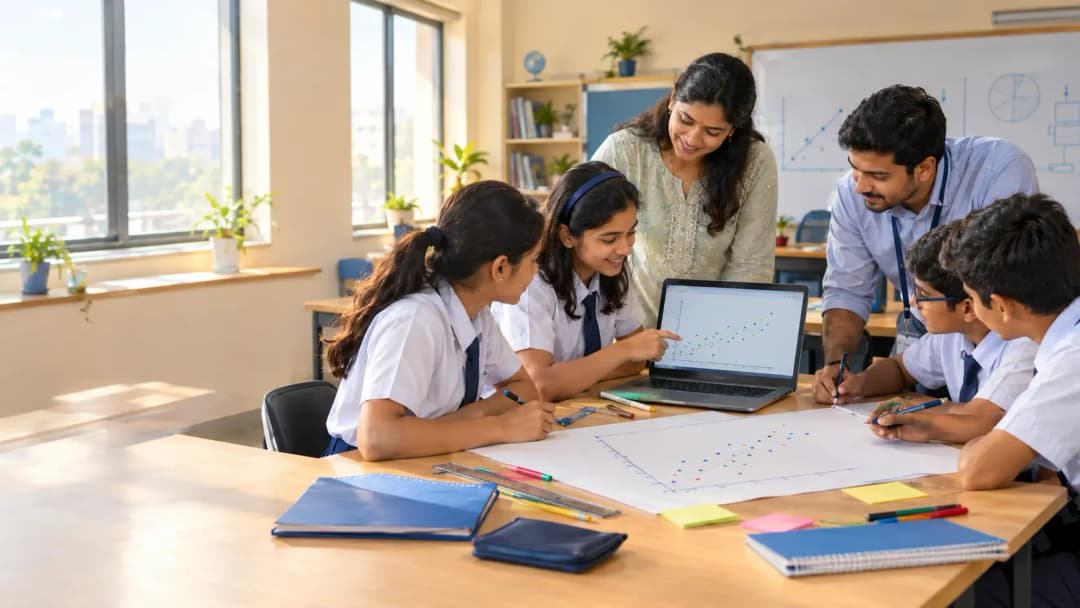
It is the last week of October, and the principal of a CBSE school in Pune asks a simple question in the staff meeting: where are we on the CT and AI projects? The computer teacher looks at the maths teacher. The maths teacher looks at the science teacher. Nobody is sure whose job it is.
That silence is more common than schools admit. The CBSE CT and AI interdisciplinary projects for Classes 6 to 8 take up 40 of the curriculum's 100 hours, which makes them the biggest block after advanced CT. They are also the part where the guidance runs thinnest. Here is how we would plan them, from a team that builds AI systems for a living.
What do CBSE's 40 interdisciplinary project hours actually require?
Start with what is written down. CBSE's framework gives Classes 6 to 8 a suggested 100 hours a year: 40 for advanced CT, 20 for introductory AI and 40 for interdisciplinary projects. The Class 8 Teacher Handbook splits those project hours into two required projects of 20 hours each, and the Class 6 and 7 handbooks describe the same two-project structure. Some guides online mention a single project per class. The handbooks say two.
The projects are meant to pull together Maths, Science, Social Studies and English, and CBSE describes the activities as hands-on rather than academically demanding. Subject teachers deliver the CT resources, computer teachers deliver AI literacy, and the computer teacher also assesses the projects. Schools pick their own platform, and the framework leans toward free and open-source tools. The hours are flexible, and schools can go beyond them. (We cover the full 100-hour split in our guide to setting up the Classes 3 to 8 CT and AI curriculum.)
But here is the gap. The contents page of the Class 8 Teacher Handbook lists nine CT chapters and four AI chapters. We could not find a separate project section, and when we looked inside the Class 6 handbook we found the same two-part structure. So CBSE has settled the number of projects, the hours, the subjects and who marks them. As far as we can tell, what the projects actually are is left to each school to write. Commentary since the April launch, including an Indian Express editorial, has pointed to unclear teaching guidance and thin teacher readiness. Projects are where that bites hardest.
Who should run CBSE CT and AI projects in Classes 6 to 8?
On paper, the computer teacher. CBSE has the computer teacher assess the projects. Now do the arithmetic for a realistic school.
Take a CBSE school with four sections in each of Classes 6, 7 and 8. That is twelve sections and 24 projects to assess in a single year. At about 40 students a section, one person is judging the contribution of roughly 480 students, usually while teaching other classes too.
That is not a solo job. What works is splitting the roles. The subject teacher owns the question, because the science teacher knows which investigation is worth doing. The computer teacher owns the data, the tool and the marking. And someone with hands-on build experience runs the lab periods and steps in when the classifier does something strange. Most schools have the first two. The third is the gap, and it is the same one we describe in what a good on-campus trainer actually does and in how schools can close the specialised teacher shortage.
How do you fit 40 project hours into the timetable?
Do the sums before the term does them for you.
40 hours is 2,400 minutes. Two 40-minute periods a week across 30 teaching weeks is exactly 2,400 minutes. That is 60 periods, or 30 per project.
We are assuming CBSE's hours are clock hours and your periods run 40 minutes. Check your own numbers.
Two practical points. First, protect double periods for build and test sessions. Setting up, training and testing a no-code model rarely fits inside one 40-minute slot. Second, do not leave the projects for a showcase week in March. Not a project. A poster.
And if Project 1 has not started yet? Count your remaining teaching weeks, subtract exam weeks, and divide 60 by what is left. With 20 weeks to go, you need three periods a week. With fewer, you have a planning problem to solve now, not in February.
What do good CBSE CT and AI projects look like in Class 6, 7 and 8?
A quick note before the examples. These are our own designs, not CBSE-prescribed projects. Each one maps to the AI outcomes the framework lists for that class, and each is a starting point: swap in the context of your own town.
Class 6. The outcomes are about data types, patterns and digital responsibility. For Project 1, ask "What does our school throw away in a week?" Students count waste from classrooms and the canteen, organise the counts in tables and charts, spot the pattern and write a recommendation to the principal (Science, Maths and English). For Project 2, ask "Automation, AI or a person?" Students interview a shopkeeper, bus conductor or parent about a task technology has changed, then sort each task into automation, AI or human judgement (Social Studies).
Class 7. The framework asks for classification, regression and clustering on a small dataset, plus charts and an awareness of bias. For Project 1, ask "How long does the journey to school take?" Students record distance and travel time for their own section, with no names attached, chart it and use the pattern to predict the time for a new distance (Maths and Social Studies). For Project 2, take a public district rainfall table, group Maharashtra districts by rainfall and discuss what the grouping misses (Social Studies and Science).
Class 8. The outcome is the AI project cycle: define the problem, collect data, test AI tools, reflect and improve, using a no-code tool. For Project 1, ask "Healthy leaf or damaged leaf?" Students photograph leaves from the school garden, train a no-code image classifier, test it on leaves it has never seen and record where it fails. Did every photo have the same lighting? That is dataset bias in the wild (Science). For Project 2, build a no-code FAQ chatbot for the admission desk, test it with 20 questions in English, Hindi and Marathi, and log every failure (English and Social Studies).
Notice what is missing: student faces. That is deliberate, and it brings us to tools.
Which no-code tools work for Class 8, and what about student data?
CBSE leaves the platform to the school, so the first filter is cost. Free and open-source tools keep a project from stalling in a purchase order. For Class 7 charts and simple predictions, a spreadsheet such as LibreOffice Calc or Google Sheets does the job. For Class 8 image classification, browser-based tools such as Teachable Machine are the best known. Check that a tool is still available, and read its terms for under-18 users, before you build a lesson around it.
The second filter is data. If a tool asks for a student's name, photo, voice or personal email, ask whether the project really needs it. Usually it does not. Use leaves, objects, anonymised class data and public datasets. Set up school-managed accounts instead of personal ones. The DPDP Act has specific rules for children's data, and we cover what that means for lab work in our DPDP guide for school AI labs.
How do you assess an interdisciplinary project when there is no exam?
CBSE's framework lists the assessment tools for Classes 6 to 8: written tests, group activities, practical exams, a Teacher Observation Journal, thematic projects and reflective discussions. It also says teachers need to build clear, consistent rubrics, and it describes no separate board exam for this stage. So your own record is the assessment. We cover the school-wide approach in how to assess CT and AI without an exam.
For a single project, a six-line rubric travels well across classes. Simplify the wording for Class 6 and keep the structure.
- Define: Is the problem specific enough to test?
- Collect: Is the data organised, ethical and free of personal details?
- Test: Did the student try the tool, record what happened and try again?
- Reflect: Can the student say where it failed and who it might treat unfairly?
- Contribution: What did this student do inside the group, as recorded in the Teacher Observation Journal?
- Communicate: Can they explain the work to someone outside the class?
A student who scores well on Reflect has understood more about AI than one who built a flashy demo. Say that out loud to parents at the next open house.
Where does an on-campus engineer fit in?
In our partnership model, the lab costs the school ₹0 to set up, and an on-campus engineer (a working professional, not a visiting trainer) runs sessions on your campus. For CT and AI projects, that engineer plays the third role from earlier. They sit down with the subject teacher before each project to turn a question into something a class can build. They run the build and test periods. And they hand the computer teacher clean evidence to mark. We work alongside your teachers, not instead of them.
You can use the three-role split whether or not you ever work with us. If you want to see how our school model runs day to day, or how a 10-year pathway from Class 1 to 12 connects to these projects, the Scaleopal curriculum is the place to start. And our page for CBSE schools shows how the model lines up with the board's requirements.
Frequently asked questions
How many projects are required in CBSE CT and AI for Classes 6 to 8?
Two per class, according to the Class 6, 7 and 8 handbooks. Each gets 20 hours, which makes 40 project hours a year out of the 100-hour allocation.
Who assesses the interdisciplinary projects?
The framework assigns assessment of the projects to the computer teacher. Subject teachers contribute through the CT resources and the cross-subject content of each project.
Do schools need to buy AI software for these projects?
No. CBSE says the curriculum does not depend on any platform, and the framework recommends free and open-source tools. A school can run Classes 6 to 8 projects with spreadsheets and free browser-based tools, as long as it checks each tool's terms for under-18 users.
Is there a board exam for CT and AI in Classes 6 to 8?
The framework describes continuous, competency-based assessment through tests, practicals, projects and journals. It does not describe a separate board exam for this stage.
Can schools spend more than 100 hours on CT and AI?
Yes. The framework calls the time allocation flexible and says schools can go beyond it depending on their needs.
Start with the first project, not the perfect plan
Back to that staff meeting in Pune. The answer to "where are we on the projects?" should not be a silence. It should be a name, a timetable slot and a project title for each class. Pick one question per class from the ideas above, or write your own. Run it. Mark it with the six-line rubric. You will learn more from one finished project than from another month of planning.
And when you are ready to staff the build and test periods, that is a conversation we are glad to have.